Test Dataset
The default Vedana install ships with a test dataset based on LIMIT — a tiny corpus of the form “Geneva Durben likes Quokkas, Tapirs, Spinach, …”. It’s handy for the first walkthrough because:
- it’s small — ETL completes in a minute;
- the structure is obvious — you can verify both vector search and Cypher;
- it contains “trick” questions that classic RAG fails at.
What’s inside
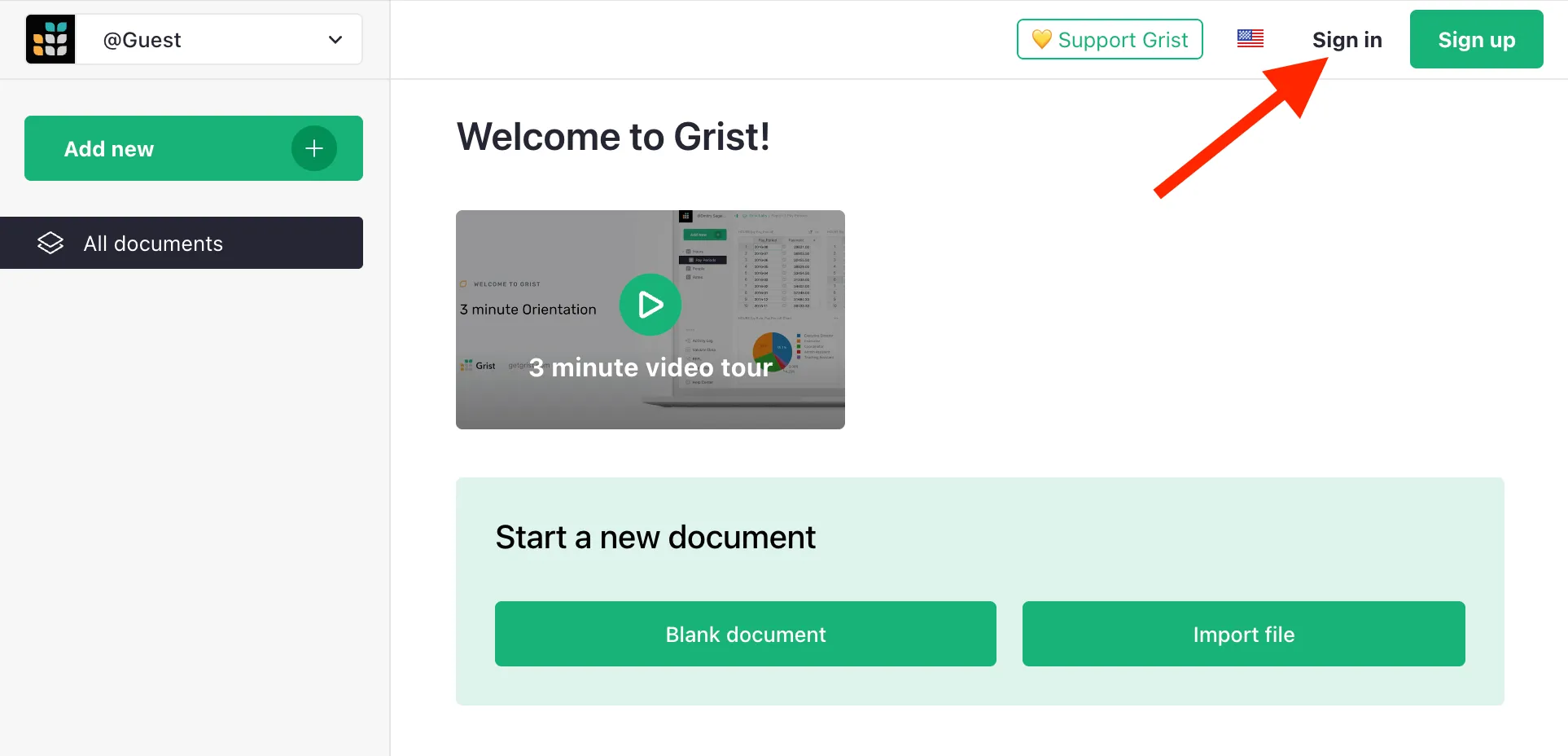
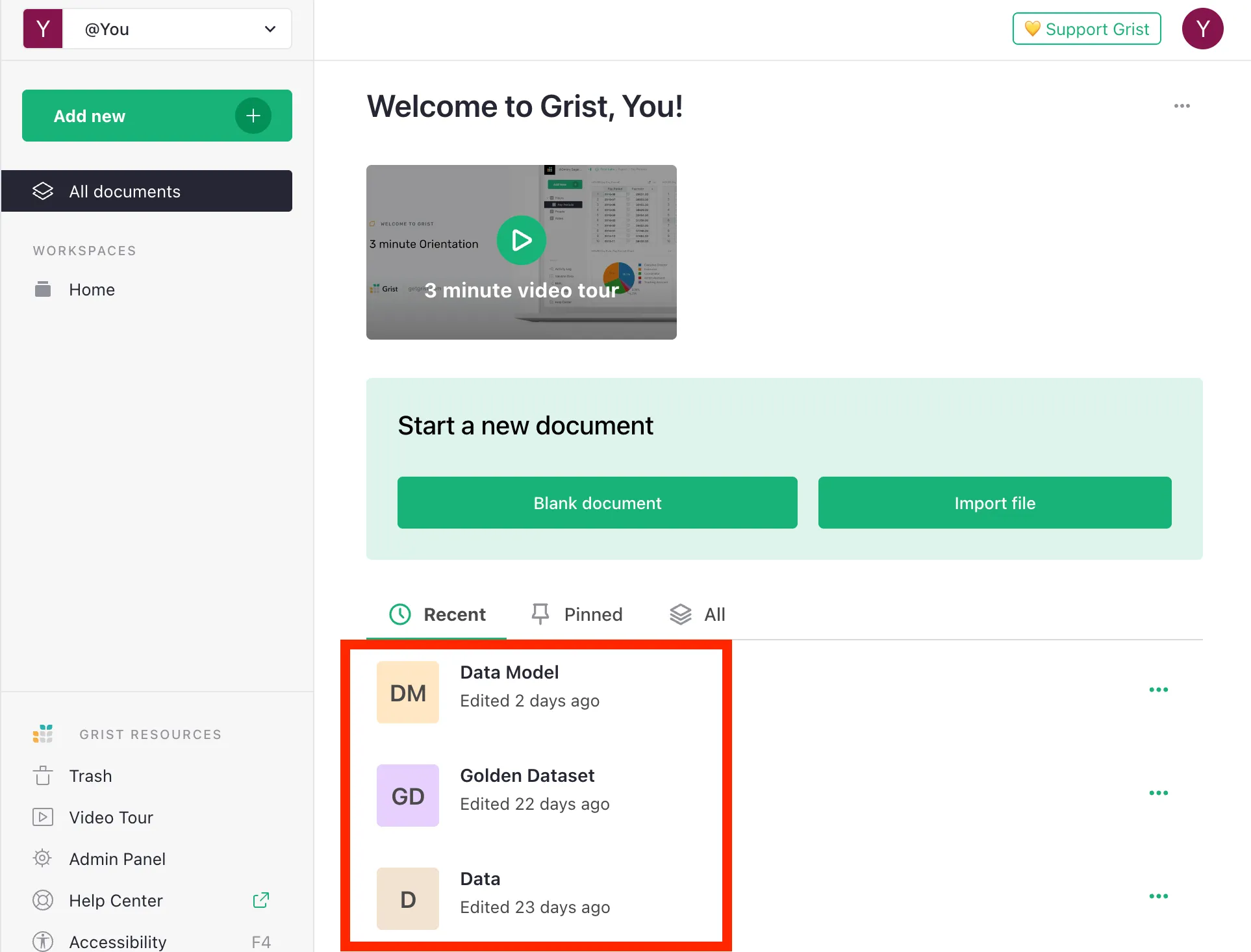
Three Grist documents are brought up alongside the stack:
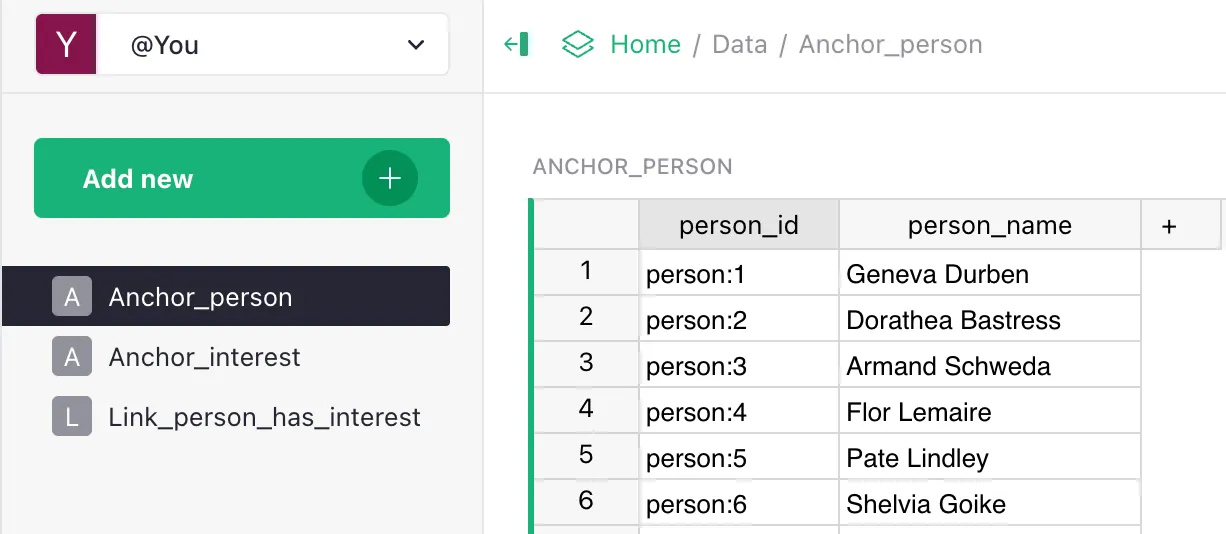
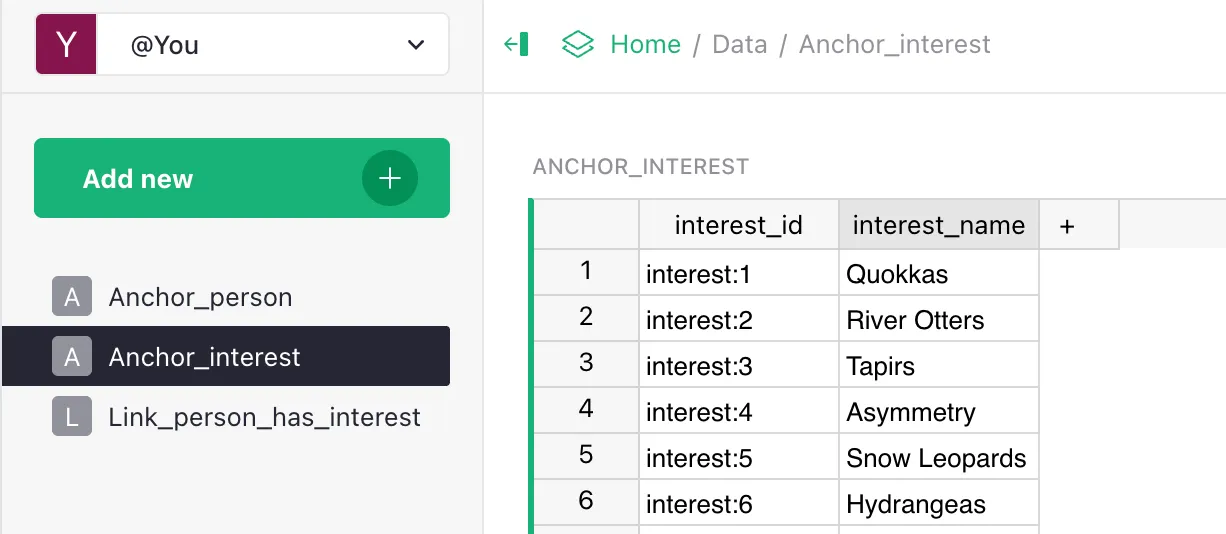
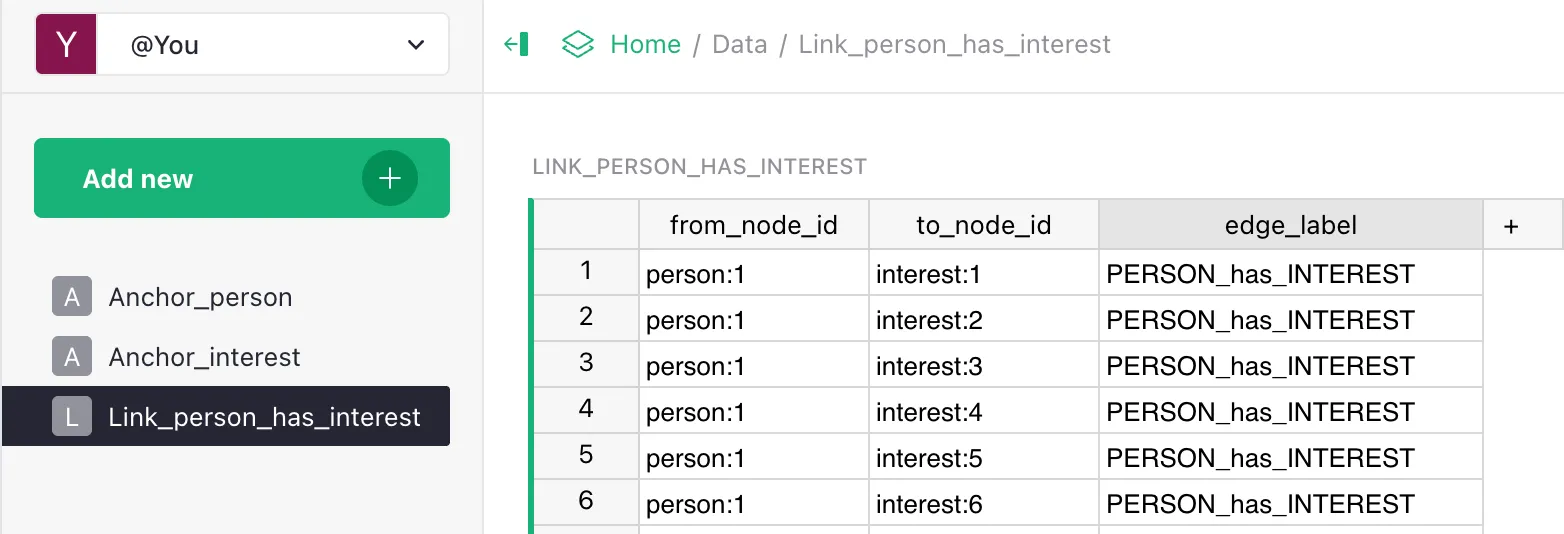
- Data — the data itself. Contains:
- a
persontable (e.g.Geneva Durben); - an
interesttable (e.g.Quokkas); - a join table
Person has Interest.
- a
- Data Model — the data model description:
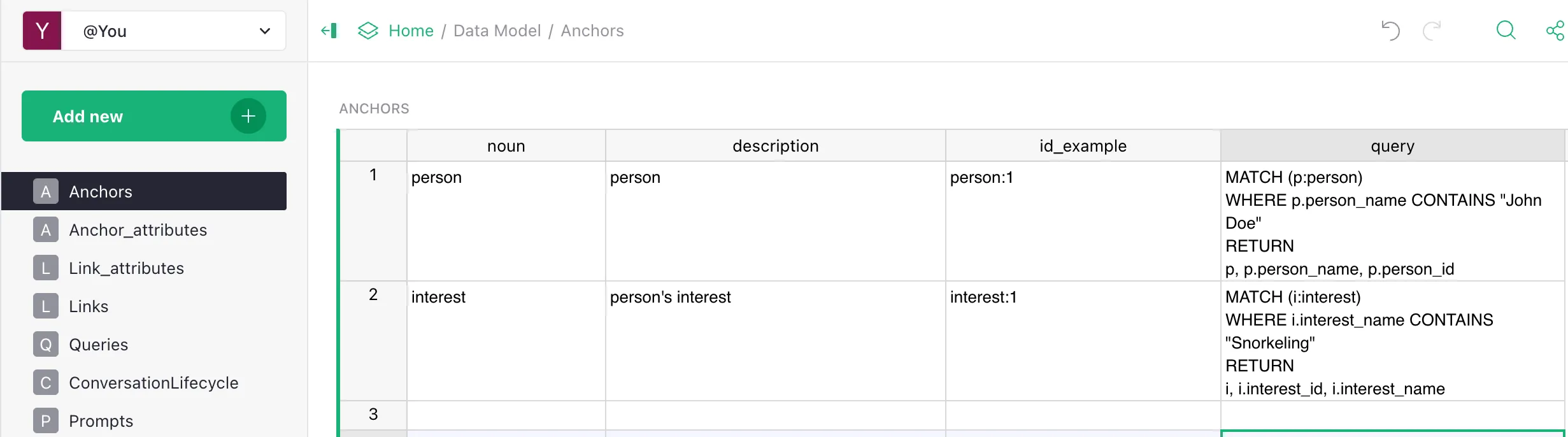
- anchors
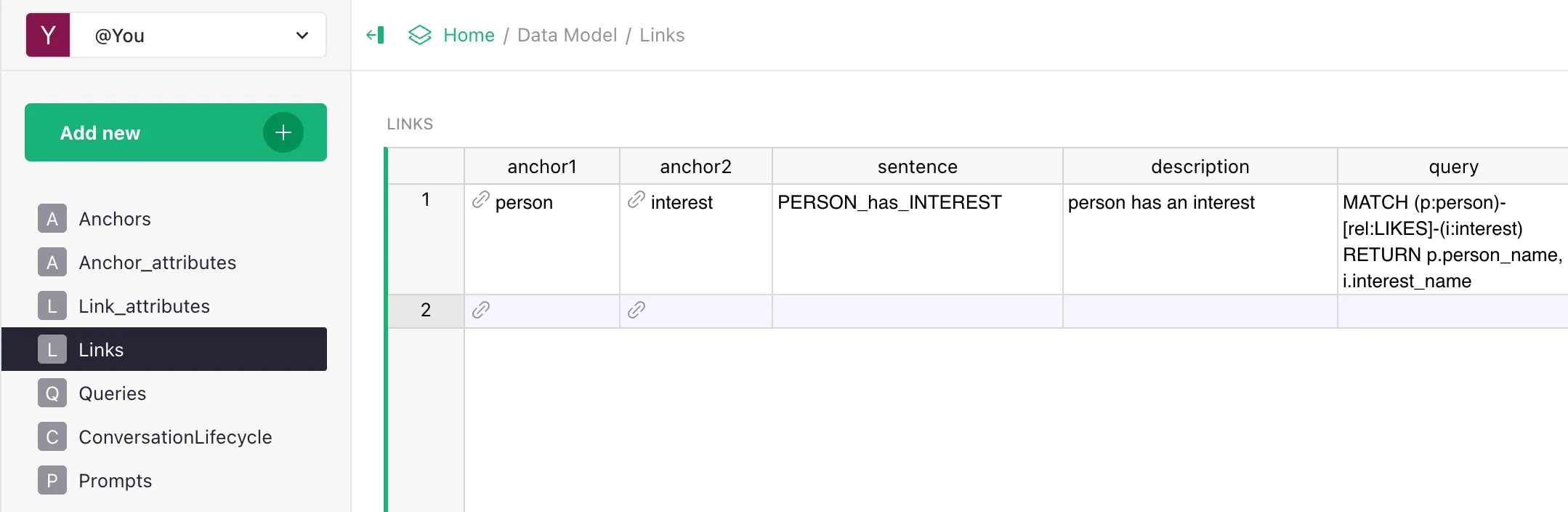
personandinterest; - link
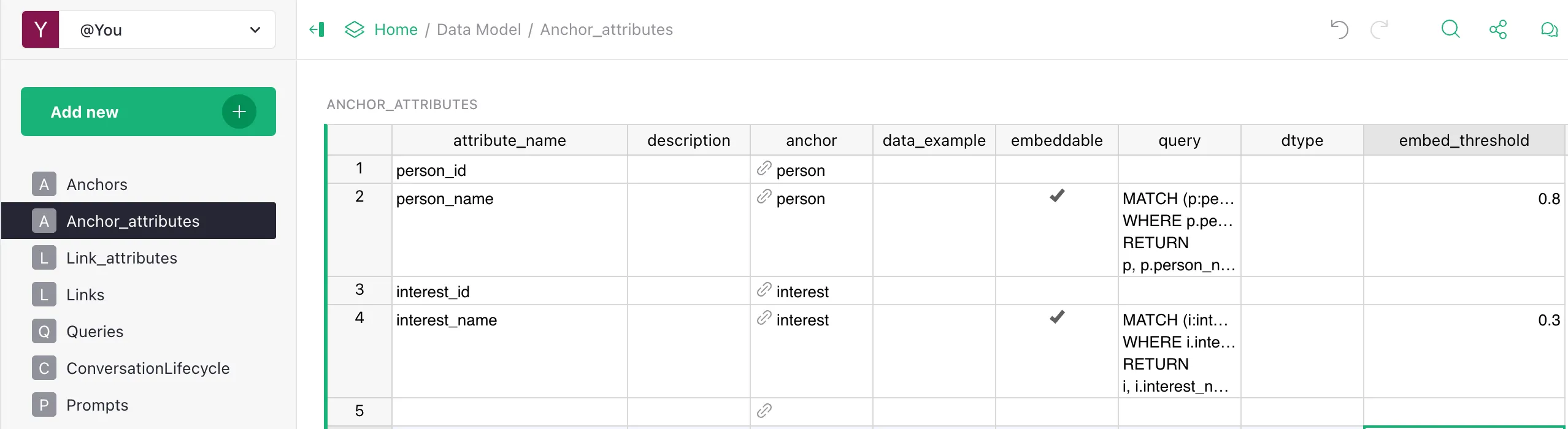
PERSON_has_INTEREST; - attributes:
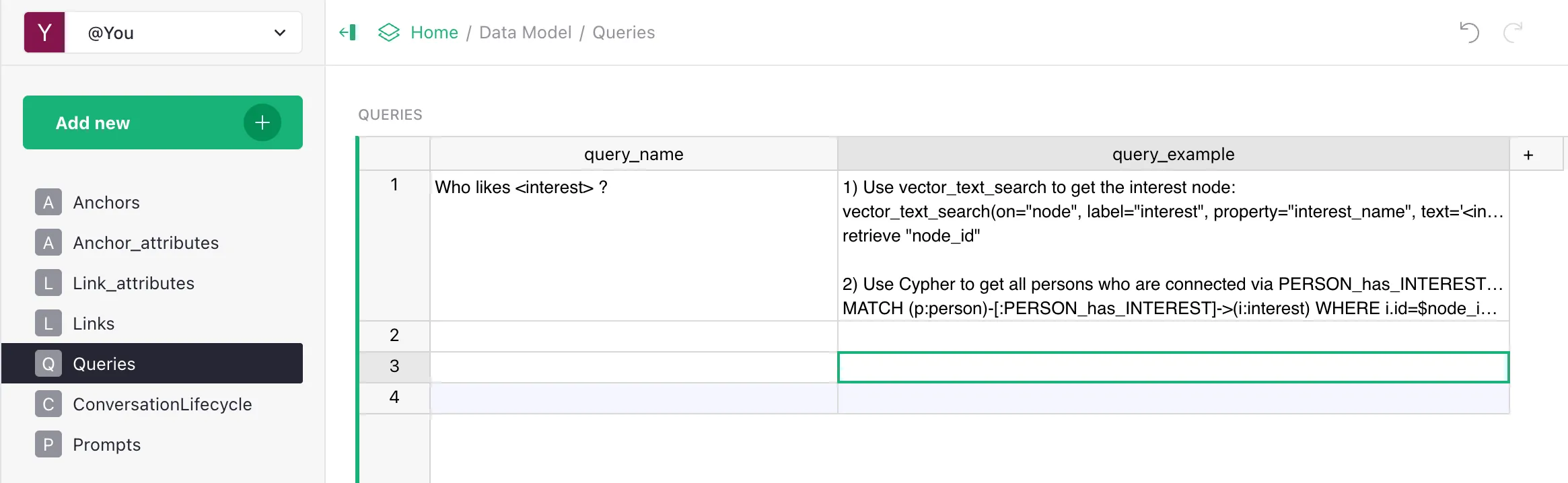
person.person_id,person.person_name(embeddable),interest.interest_id,interest.interest_name(embeddable); - a set of Queries (the playbook) for typical questions.
- anchors
- Golden Dataset — the golden dataset for evaluation:
- questions like “Who likes X?”, “What are Y’s interests?”, “Who is interested in Z?”;
- reference answers.
Why this dataset
LIMIT loads the system with exactly the kinds of questions that break classic RAG:
- Complete sets: “Who likes Quokkas?” — must return everyone, not a sample.
- Relationships: “What are Geneva Durben’s interests?” — needs a traversal through
PERSON_has_INTEREST. - Long lists: some people have 10+ interests — top-K vector search inevitably loses some.
On LIMIT, classic RAG typically achieves a Hit Rate of 40–60%; Vedana — 90%+. It’s a good baseline test before your own domain.
Where exactly is it
After running docker compose up and Grist initialisation:
- Grist UI: http://localhost:8484
- The Data doc:
http://localhost:8484/o/docs/eB5kH8Z7NVErycp32wx1Ge/Data(the DocId depends on your install — seeapps/vedana/docker-compose.ymlor your.env). - The Data Model doc:
http://localhost:8484/o/docs/j6PTmqgw4caBDdQdpyz7au/Data-Model. - The Golden Dataset doc:
http://localhost:8484/o/docs/2FDgbBNtEDmgNc5AJ3ufkh/Golden-Dataset.
What’s in Data
What’s in Data Model
Test questions for a quick check
After ETL has completed, open the chat at http://localhost:9000/chat (Backoffice → Chat) and try these:
- “Who likes Quokkas?” → should return everyone with that interest.
- “What are Geneva Durben’s interests?” → should return the full list (Quokkas, Slide Rules, Mosaic, …).
- “Who is interested in Joshua Trees?” → names via the
PERSON_has_INTERESTedge. - “How many people are interested in Tapirs?” → exact count via
Cypher COUNT.
In the answer’s Details you should see Cypher queries — that means Vedana is working “as Vedana”, not as a regular RAG.
Your own dataset
Once you’ve explored LIMIT, switch to your domain. See Setting Up Data Model.
You can keep LIMIT around as a sanity check — after platform changes, re-running it confirms basic behaviour didn’t regress.