Anchors (nodes)
An anchor is a domain entity type. Every class of objects the assistant can look up, filter, count, or traverse is described as an anchor.
In Memgraph each anchor corresponds to a class of nodes whose label equals anchor.noun literally (no case conversion). When you define a product anchor and run ETL, every row in your products table in Grist becomes a :product node with its columns stored as properties. Pick any naming style you like (product / Product / products — all work); the only hard rule is that the label is what MATCH (n:<label>) will be looking for, so be consistent across Anchors, Links and Queries. The Cypher examples below use lowercase singular (product, interest, document_chunk) because that’s how the test dataset and most of our examples happen to be written — not because the engine enforces it.
An anchor is the schema, not data. The Anchors table in Grist describes what kinds of things exist, not the things themselves.
Fields
| Field | Type | Description |
|---|---|---|
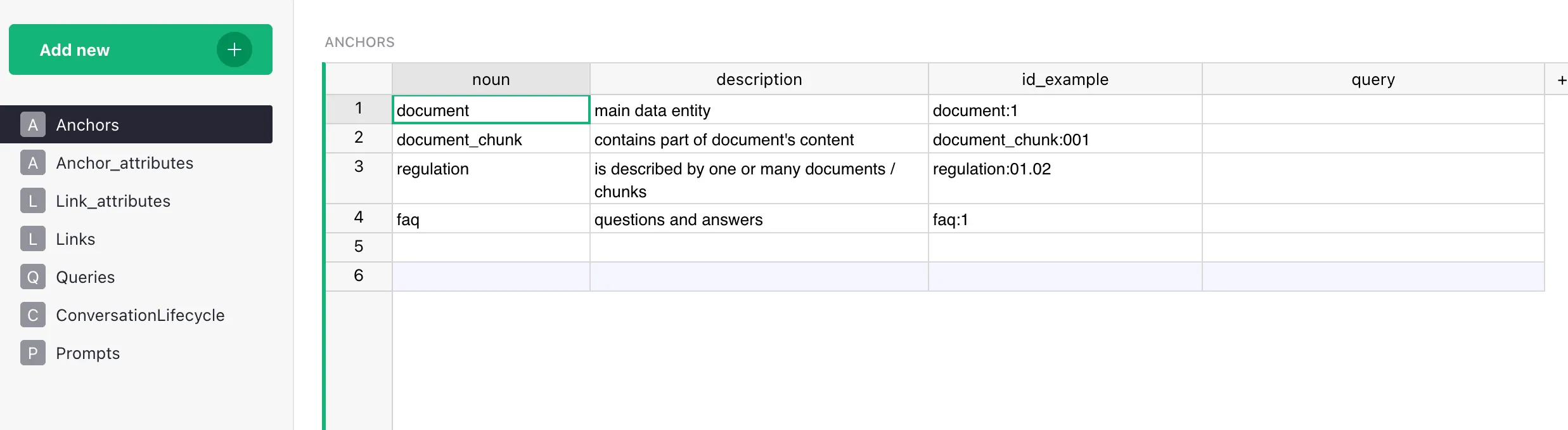
| noun | str | Entity name. Becomes the label in Memgraph literally (no case conversion). The data table for this anchor in the Grist Data doc must be named Anchor_<noun> (e.g. noun = "person" ↔ table Anchor_person) — ETL discovers data tables by prefix; see Naming conventions. Latin script and uniqueness across the table are required; singular vs. plural and case are your choice — pick a style and stay consistent. PK of the table. |
| description | str | Human-readable description. Goes into the LLM context. The more precise — the better the assistant picks the anchor. |
| id_example | str | A real example of a primary key (product_id: "p-001"). Helps the ETL and the LLM understand the format. |
| query | str | Cypher query to retrieve entities of this type. Without it, detail retrieval is unreliable — the assistant falls back to less precise methods. |
What you get in the graph
One row in Anchors + the corresponding rows of data = a graph like:
(:product {id: "p-001", name: "Laptop", price: 999.00})
(:product {id: "p-002", name: "Monitor", price: 349.00})
The label (product) comes from anchor.noun. The properties come from data rows. The label is what allows Cypher to find nodes of this specific type: MATCH (p:product) RETURN p.
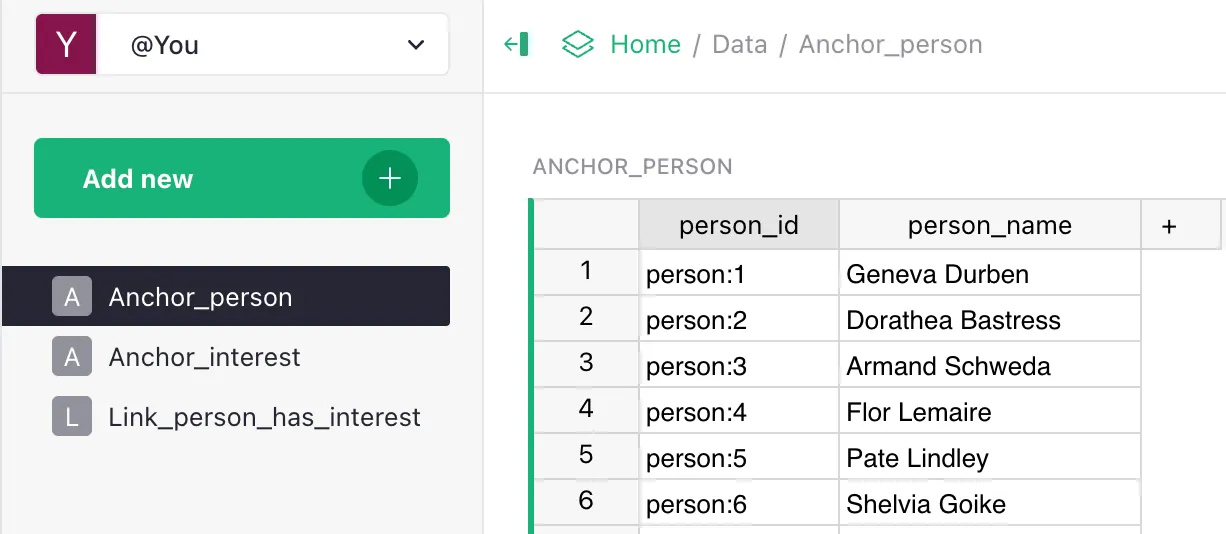
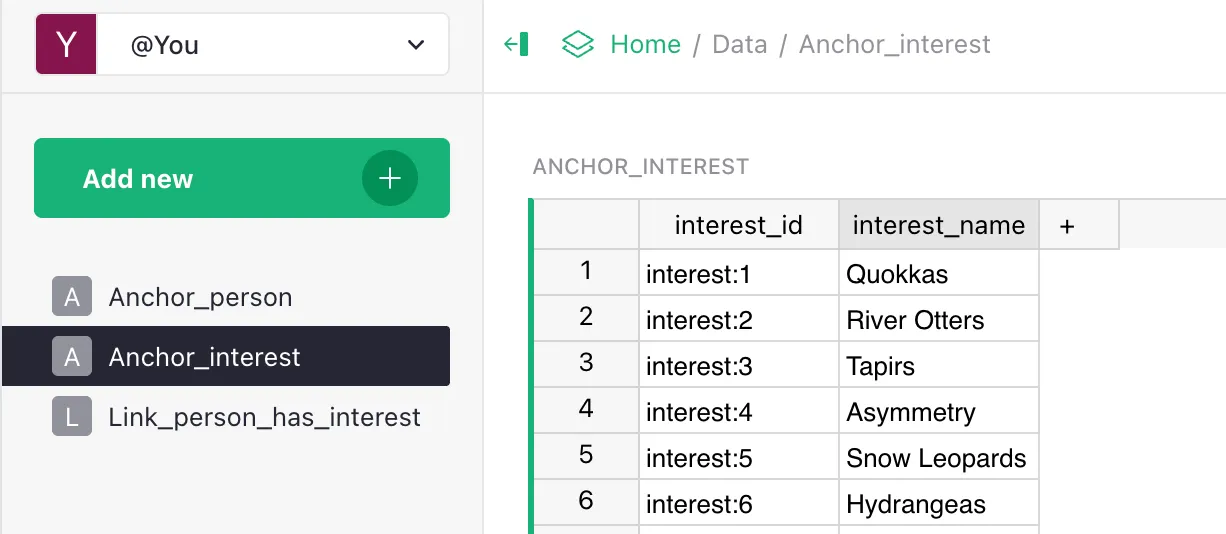
Examples from the test dataset (LIMIT)
How the description affects the assistant
The full list of anchors with their descriptions goes into the system prompt. This lets the LLM:
- understand which entity type a question is about;
- generate correct Cypher with the right node labels;
- pick the right retrieval tool (structured query or vector search);
- speak the language of the domain instead of guessing.
If anchors are described poorly (vague descriptions, inconsistent names, missing PKs), the assistant can’t reason correctly. The quality of anchor descriptions is one of the highest-leverage things you can control.
Anchors vs data vs documents
- An anchor is a type, not a row. Analogy:
CREATE TABLE, notINSERT INTO. document/document_chunk/faqare anchors that the Documents and Chunks and FAQ workflows expect you to declare in your Grist Data Model. They are a recommended starter set — almost every real project has documents, chunks of those documents, and a list of common Q&A — so we suggest adding them straight into your data model. There’s no magic: nothing is seeded into Grist automatically, and no code path special-cases these names. Most anchors you’ll create yourself are structured domain entities: products, contracts, branches, employees, whatever your domain requires.
Examples
E-commerce
product— a product in the catalog.category— a catalog category.brand— a brand.branch— a branch / store.warehouse— a warehouse.
Legal/compliance
contract— a contract.counterparty— a counterparty.requirement— a regulatory requirement.legal_document— a regulatory document.
HR / org structure
person— an employee.department— a department.role— a role.project— a project.
Checklist before adding an anchor
- Name is Latin script, unique across the table. Pick singular or plural — just be consistent across Anchors, Links and Queries.
- Description explains what it is and when to use (not “represents X”).
-
id_exampleis a real example of a key from your table. -
queryis a working Cypher query — paste it into Memgraph Lab and verify a result. - You’ve thought about what links to other anchors are needed.
- You’ve thought about which attributes are embeddable and which aren’t.
Common mistakes
- Non-Latin name. Breaks queries and Cypher (Memgraph’s Bolt driver doesn’t always handle non-ASCII identifiers gracefully).
- Description that just repeats the name. “Product is a product” — useless to the LLM.
- No
query. The assistant will have to guess via vector search — bad for precise queries. - An anchor where an attribute would do. If
categoryhas no own properties or links, keep it as astringattribute, not a separate anchor. See Attributes vs Links. - Two anchors that differ only by case or number.
productandProduct,branchandbranches— these are different labels in Memgraph and Cypher won’t unify them. Pick one form and stick to it.
What’s next
- Attributes — properties of anchors.
- Links — relationships between anchors.
- Adding Anchors guide — step-by-step.