Architecture Overview
Vedana is a uv workspace containing two groups of components:
- JIMS (Just an Integrated Multiagent System) — a generic framework for AI assistants: threads, events, pipelines, LLM provider, interfaces (Telegram, TUI, HTTP API, widget, Reflex backoffice).
- Vedana — a RAG layer on top of JIMS: graph + vector store, data model, playbook, ETL.
Below is the high-level diagram and how it maps to the code.
Repository layout
vedana/
├── apps/
│   ├── vedana/         # main deployment (Dockerfile, alembic, docker-compose)
│   └── jims-demo/      # demo / sample app for JIMS
├── libs/
│   ├── jims-core/      # threads, events, ThreadController, LLMProvider
│   ├── jims-api/       # FastAPI HTTP API
│   ├── jims-widget/    # web widget (DeepChat-based, FastAPI + static)
│   ├── jims-telegram/  # Telegram bot
│   ├── jims-tui/       # Terminal UI
│   ├── jims-backoffice/# minimal FastAPI backoffice
│   ├── vedana-core/    # RagPipeline, RagAgent, Graph, VectorStore, DataModel
│   ├── vedana-etl/     # Datapipe-based ETL with incremental processing
│   └── vedana-backoffice/ # Reflex admin UI (chat, ETL runner, eval)
├── pyproject.toml      # uv workspace config
└── Makefile            # package build/publish targets
The CLI scripts of the repository are described in the project README.md.
Architecture in one picture
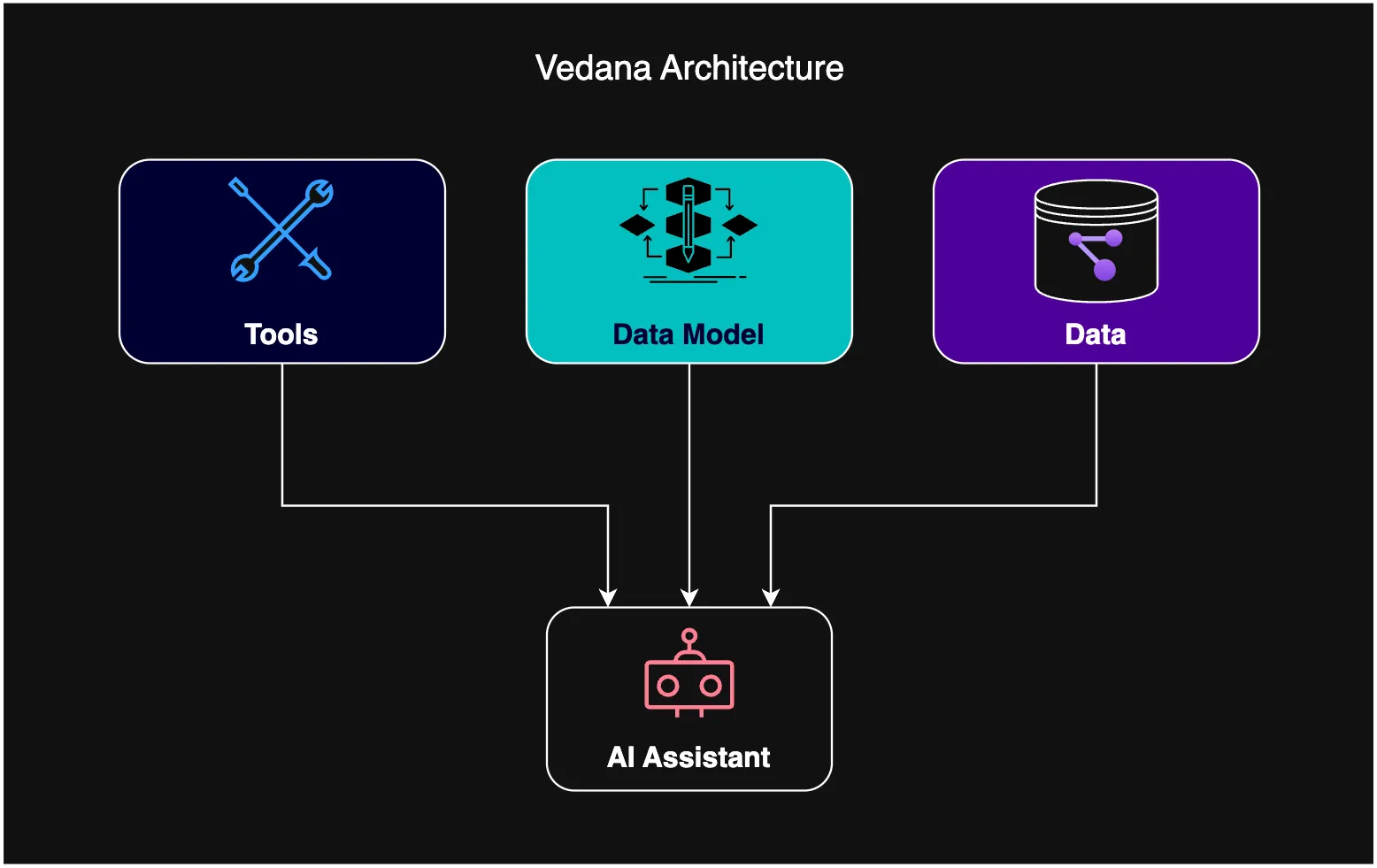
High-level request flow
┌────────────┐    ┌──────────────┐
│ User input │ ─▶ │ Interface    │  Telegram / HTTP API / TUI / Widget / Backoffice
└────────────┘    └──────┬───────┘
                         │
                         ▼
                ┌──────────────────┐
                │ ThreadController │  jims-core: threads, events, history
                └──────┬───────────┘
                       │ make_context()
                       ▼
                ┌──────────────────┐
                │ ThreadContext    │  Session-level: history, events, llm, status_updater
                └──────┬───────────┘
                       │
                       ▼
                ┌──────────────────┐
                │ RagPipeline      │  vedana-core
                │  (Pipeline      ─┼──▶ DataModelFiltering (LLM #1, small model)
                │   protocol)      │
                │                  ├──▶ RagAgent.text_to_answer_with_vts_and_cypher
                │                  │       ├─▶ Tool: vector_text_search → pgvector
                │                  │       └─▶ Tool: cypher → Memgraph
                │                  │
                │                  └──▶ ctx.send_message(answer)
                └──────┬───────────┘
                       │
                       ▼
                ┌──────────────────┐
                │ Postgres         │  threads, thread_events
                └──────────────────┘
External data:
- Memgraph — the knowledge graph (nodes and edges) plus text/vector indices.
- Postgres + pgvector — JIMS tables, Datapipe tables,
rag_anchor_embeddings,rag_edge_embeddings. - Grist — the data model and the actual data. The data arrives through ETL.
Components
jims-core
The assistant’s kernel. Key objects:
Pipeline(jims_core.schema.Pipeline) —Protocolfor an async function(ctx: ThreadContext) -> Any. Vedana provides the implementation (RagPipeline).ThreadController(jims_core.thread.thread_controller) — manages thread lifecycle: creation, lookup bycontact_id/thread_id, event recording, pipeline execution. Prometheus metrics:jims_pipeline_run_duration_seconds,jims_pipeline_runs_total.ThreadContext(jims_core.thread.thread_context) — the object passed to the pipeline. It holds:history— list ofCommunicationEvents;events— every event in the thread;llm: LLMProvider— a wrapper over LiteLLM (with metrics and retry);outgoing_events— what the pipeline produced (messages, state events).
LLMProvider(jims_core.llms.llm_provider) — a LiteLLM wrapper for chat completions, structured output, and embeddings with auto-batching.
See JIMS Core.
vedana-core
RAG logic and integration with storage.
VedanaApp,make_vedana_app,make_jims_app(vedana_core.app) — factories that assembleRagPipeline,Graph,VectorStore,DataModel.RagPipeline(vedana_core.rag_pipeline) — thePipelineimplementation. Steps:- data model filtering (optional);
- building the
RagAgent; - invoking
text_to_answer_with_vts_and_cypher; - sending the answer and the
rag.query_processed/rag.errorevents.
RagAgent(vedana_core.rag_agent) — the agent with two tools:vector_text_search(with aVTSArgs/Enumschema based on available indices);cypher(with a 30-row limit and read-only mode).
Graph/MemgraphGraph(vedana_core.graph) — async Memgraph client (via the neo4j driver), including helpers for indices and schema introspection (llm_util.schema()).VectorStore/PGVectorStore(vedana_core.vts) — on top of pgvector, cosine similarity overrag_anchor_embeddingsandrag_edge_embeddings.DataModel(vedana_core.data_model) — reads Anchors / Links / Attributes / Queries / Prompts / ConversationLifecycle from thedm_*tables in Postgres (populated from Grist by ETL). Contains thedm_*_descr_templatetemplates that render the model into LLM-friendly text.StartPipeline(vedana_core.start_pipeline) — a separate pipeline that handles the/startcommand and reads the response fromConversationLifecycle. (A duplicate definition exists invedana_core.rag_pipelinefor historical reasons;vedana_core.appimports fromstart_pipeline.py.)LLM+Tool(vedana_core.llm) — wrapper overLLMProviderwith a tool-calling loop (up to 5 iterations), structured prompts, and finalisation templates.
See Vedana Core.
vedana-etl
ETL pipeline built on Datapipe.
vedana_etl.catalog— tables and storages (Postgres + Memgraph + pgvector).vedana_etl.steps— functionsget_data_model,get_grist_data,prepare_nodes,prepare_edges,pass_df_to_memgraph,generate_embeddings,ensure_memgraph_*_indexes,get_eval_gds_from_grist.vedana_etl.pipeline— assembles the Datapipe pipeline from the steps:data_model_steps,grist_steps,memgraph_steps,eval_steps.
ETL is split into “flows” via Datapipe labels: regular, on-demand, eval.
See Vedana ETL.
vedana-backoffice (+ jims-backoffice)
Reflex application providing the admin UI. Includes:
- main dashboard (ingest health, graph vs. datapipe counts, recent changes);
- chat with the assistant;
- ETL inspector and manual pipeline run;
- evaluation harness (golden dataset, runs, metrics);
- prompt editor and data model viewer;
- JIMS thread inspector (list / drill into events).
The backoffice is split into two libs: jims-backoffice carries the generic Chat / Eval / Thread-list UI as an installable library (state classes, Reflex components, the Caddy launcher), and vedana-backoffice is the Vedana-specific overlay — it adds the Main Dashboard, the sidebar shell, the Data Model viewer, and the project_runtime env-driven wiring (VEDANA_APP, DATAPIPE_PIPELINE). The same pattern lets tenant overlays (Stell, Maytoni-style) reuse jims-backoffice directly without forking.
In docker-compose the backoffice runs behind a Caddy reverse proxy (CLI: vedana-backoffice-with-caddy).
JIMS interfaces
jims-api(libs/jims-api/src/jims_api/main.py) — FastAPI withPOST /api/v1/chat,GET /healthz. Supports a Bearer token or Authentik authentication.jims-widget— embeddable web widget.jims-telegram— Telegram bot via aiogram.jims-tui— Terminal UI built on Textual for interactive debugging.
Data storage
| Storage | What’s stored |
|---|---|
| Postgres | JIMS: threads, thread_events. Datapipe: dm_*, nodes, edges, grist_*, memgraph_*_indexes. pgvector: rag_anchor_embeddings, rag_edge_embeddings. |
| Memgraph | Graph nodes and edges. Vector indices (if MemgraphVectorStore is used). Text indices. |
| Grist | Data model and original domain data. The source of truth for the business description. |
Note: by default Vedana uses pgvector, not Memgraph vector. MemgraphVectorStore is also implemented and available (libs/vedana-core/src/vedana_core/vts.py); you can wire it up if you want to keep embeddings closer to the graph.
Observability
- OpenTelemetry: traces for pipelines and sub-queries (
jims_core.thread_controller,vedana_core.graph,vedana_core.vts). - Prometheus: LLM metrics (
llm_calls_total,llm_usage_prompt_tokens_total,llm_usage_completion_tokens_total), pipeline metrics (jims_pipeline_*). - Sentry: integration through
setup_monitoring_and_tracing_with_sentry.
See Observability.
CI / CD
The repository uses auto-generated GitHub Actions workflows for the workspace libraries via uv-workspace-codegen. Configuration is in each library’s pyproject.toml.
Package builds are done with make build (which calls uv build per package). Publishing is done with uv publish and a GCP token (make publish).